
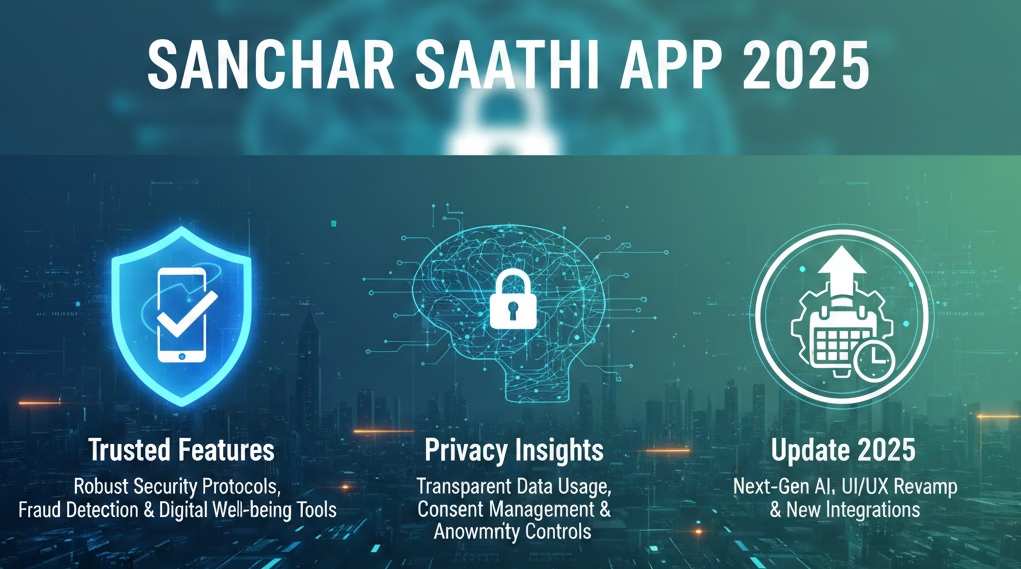
Introduction to Sanchar Saathi App – Why It Matters
The Sanchar Saathi App has become one of the most talked-about government-backed digital initiatives in India in 2025. Developed by the Department of Telecommunications (DoT), the app was designed to empower citizens by giving them tools to track lost phones, block stolen devices, and prevent fraud through IMEI-based monitoring.
Why Sanchar Saathi is Important
- Mobile Theft in India: With millions of smartphones sold every year, theft and fraud remain major concerns.
- Government’s Role: The app was introduced to provide a centralized platform for citizens to secure their devices.
- Public Awareness: The app gained massive attention after the government initially mandated its pre-installation on all new smartphones.
Launch & Adoption
- Launch Year: 2025
- Downloads: Over 5 million downloads within the first year.
- Controversy: The mandatory installation order issued in late November 2025 was withdrawn on December 3, 2025, following public backlash over privacy concerns.
Sanchar Saathi is now voluntary, but its features and controversies make it a subject of national debate.
Detailed Features of Sanchar Saathi App
Core Functionalities
- Track Lost Phones: Users can register their IMEI and report theft, enabling authorities to block stolen devices.
- Block Fake IMEI Devices: Helps identify and disable phones with duplicate or fraudulent IMEI numbers.
- SIM Management: Alerts users if their SIM is misused or cloned.
- Fraud Reporting: Provides a direct channel to report telecom-related fraud.
User Benefits
- Security: Reduces risks of phone theft and fraud.
- Convenience: Centralized platform for IMEI and SIM-related issues.
- Government Integration: Directly linked with telecom operators and law enforcement.
Technical Aspects
- Permissions: Requires access to call logs, SMS, storage, camera, and microphone.
- Compatibility: Works across Android devices; iOS integration is limited.
- Updates: Frequent patches to improve fraud detection and IMEI tracking.
Privacy Concerns & Government Update
Privacy Issues
- Permissions Overreach: The app’s access to sensitive data raised alarms among privacy advocates.
- Surveillance Fears: Critics argued that mandatory installation could lead to mass surveillance.
- OEM Resistance: Companies like Apple opposed the directive, citing ecosystem security risks.
Government’s Latest Update (December 3, 2025)
- Mandatory Order Withdrawn: On December 3, 2025, the DoT reversed its decision to make the app compulsory.
- Voluntary Use: Citizens can now choose to download and use the app.
- Public Assurance: The government promised to review privacy concerns and improve transparency.
Read the Latest GOVT UPDATE on Sanchar Saathi App here
Goodness vs. Bad Effects
Goodness:
- Helps track and block stolen phones.
- Prevents fraud through IMEI monitoring.
- Provides direct government-backed support.
Bad Effects:
- Raises privacy concerns due to broad permissions.
- Potential misuse if not regulated properly.
- Initial mandatory rollout damaged public trust.
User-Centric Experience
Ease of Use
- Simple interface with step-by-step guidance.
- Quick IMEI registration and fraud reporting.
Real-World Scenarios
- Lost Phone Recovery: Users can block stolen devices, reducing resale value for thieves.
- Fraud Prevention: Alerts users about suspicious SIM activity.
- Awareness: Educates citizens about telecom safety.
Limitations
- Requires internet access for most features.
- Privacy concerns may discourage adoption.
- Limited integration with iOS devices.
Future-Proofing & Long-Term Value
Government’s Commitment
- Plans to improve transparency and reduce unnecessary permissions.
- Integration with law enforcement databases for faster action.
Long-Term Impact
- Could become a national standard for telecom safety if privacy issues are resolved.
- Potential to expand into cybersecurity features beyond IMEI tracking.
Resale & Trust
- Phones registered with Sanchar Saathi may have higher trust in resale markets.
- Builds confidence among users who value security.
How & Where to Download Sanchar Saathi App
- Google Play Store (Android):
- Open the Google Play Store on your smartphone.
- Search for “Sanchar Saathi App”.
- Verify that the developer is Department of Telecommunications, Government of India.
- Tap Install.
- Apple App Store (iOS):
- Limited functionality is available for iPhone users.
- Search for Sanchar Saathi App in the App Store.
- Download and install.
- Official Website:
- Visit the Sanchar Saathi portal (sancharsaathi.gov.in).
- Direct download links for Android APK are available for users who prefer manual installation.
How to Use Sanchar Saathi App
Step 1: Register Your Mobile
- Open the app and sign in using your mobile number.
- Verify with an OTP sent to your SIM.
Step 2: Add IMEI Details
- Enter your phone’s IMEI number (dial *#06# to find it).
- Register the IMEI to link your device with the app.
Step 3: Report Lost or Stolen Phone
- Go to “Report Lost Phone” section.
- Enter IMEI and mobile number.
- Submit complaint; the app will block the device on telecom networks, making it unusable.
Step 4: Block Fake IMEI Devices
- Use the IMEI Check feature to verify authenticity.
- If duplicate or fake IMEI is detected, the app can request blocking.
Step 5: SIM & Fraud Management
- Monitor SIM activity.
- Get alerts if your SIM is cloned or misused.
- Report telecom fraud directly through the app.
Step 6: Track Status
- The app provides real-time updates on complaints filed.
- You can track whether your lost phone has been blocked or recovered.
Practical Tips for Users
- Always register your IMEI immediately after installing the app.
- Use the app if you suspect SIM misuse or cloning.
- Keep your login credentials secure to avoid unauthorized access.
- Remember: The app is voluntary—you can choose to install it for added security.
You can download the Sanchar Saathi App from the Google Play Store, Apple App Store, or official portal. Once installed, it helps you register your IMEI, report lost phones, block fake devices, and monitor SIM activity. It’s a government-backed tool for telecom safety, but usage is voluntary after the December 3, 2025 update.
FAQs – Top 10 Queries Answered
Q.1: What is the Sanchar Saathi App?
ANS: A government-backed app to track lost phones, block fake IMEIs, and prevent telecom fraud.
Q.2: Is Sanchar Saathi App mandatory?
ANS: No, as of December 3, 2025, it is voluntary.
Q.3: Who developed Sanchar Saathi?
ANS: India’s Department of Telecommunications (DoT).
Q.4: Can it track lost phones?
ANS: Yes, by registering IMEI and reporting theft.
Q.5: Does it raise privacy concerns?
ANS: Yes, due to permissions like call logs, SMS, and microphone access.
Q.6: Is it available on iOS?
ANS: Limited functionality; primarily designed for Android.
Q.7: How many downloads so far?
ANS: Over 5 million downloads in 2025.
Q.8: Can it block fake IMEI devices?
ANS: Yes, that’s one of its core features.
Q.9: Why was the mandatory order withdrawn?
ANS: Due to public backlash and privacy concerns.
Q.10: Should I install Sanchar Saathi?
ANS: It’s voluntary; useful for security, but users must weigh privacy risks.
Conclusion
The Sanchar Saathi App Review 2025 reveals a tool with immense potential for telecom safety but also significant privacy challenges. While its features—like lost phone tracking, IMEI blocking, and fraud prevention—are undeniably useful, the initial mandatory rollout damaged trust.
With the government’s latest update making it voluntary, users now have the freedom to decide. If privacy concerns are addressed, Sanchar Saathi could become a cornerstone of digital security in India.
Bookmark or Visit Kolee.in for Daily Updates – Stay informed with the latest tech reviews, government updates, and digital safety insights.

Hello and warm greetings!
I’m Satyapal Yadav, the founder of Kolee.in and a passionate content writer and researcher. I began my professional journey in 2005 in the IT sector, exploring the vast world of technology. Over time, my curiosity and interest in financial markets led me to trading around 2010, which inspired me to merge my tech background with finance research and content writing.
At Kolee.in, my mission is simple: I strive to provide readers with accurate, research-backed, and easy-to-understand information to help them make informed decisions in their careers, finances, and personal lives. Over the years, I have specialized in topics including finance, government jobs, competitive exams, education, government policies, and the latest technology trends.
I firmly believe that knowledge is valuable only when it is understood deeply and applied wisely. That’s why I dedicate myself to producing content that is clear, practical, and actionable, bridging the gap between complex information and reader-friendly guidance.
When it comes to government jobs, I cover everything from state and central vacancies to competitive exam strategies, helping readers navigate their career paths with confidence. In the finance domain, I share insights on personal finance, investment strategies, and market updates, making complex topics easy to understand.
Education is another passion of mine. I provide guidance on exam preparation, scholarships, and learning strategies, helping students and professionals achieve their academic and career goals. I also explore technology trends, reviewing the latest gadgets and sharing insights on innovations in AI, apps, and emerging tech, keeping readers up-to-date in a fast-evolving digital world.
What drives me is the desire to empower my readers. I don’t just provide information—I aim to help people make smart choices, whether it’s pursuing the right government job, planning their finances, or staying ahead with technology and education updates.
All content on Kolee.in is carefully researched and reader-focused. This ensures that readers get valuable information that is easy to navigate and understand. My writing emphasizes clarity, authenticity, and relevance, making it trustworthy for students, job seekers, finance enthusiasts, and tech-savvy readers alike.
I’ve spent years learning, researching, and refining my approach to content creation, combining my IT and finance experience with my passion for education and technology. Every article I write is designed to inform, inspire, and guide—helping readers make practical and confident decisions in their personal and professional lives.
Through Kolee.in, I aim to build a platform that bridges the gap between complex data and everyday readers, turning knowledge into actionable insights. I want my readers to feel empowered, confident, and informed every time they visit the site.
Thank you for stopping by! I hope the content you find here helps you achieve your goals, stay informed, a
nd make smart decisions in life, career, and learning.
With warm regards and best wishes,
Satyapal Yadav
Founder and Content Writer, Kolee.in