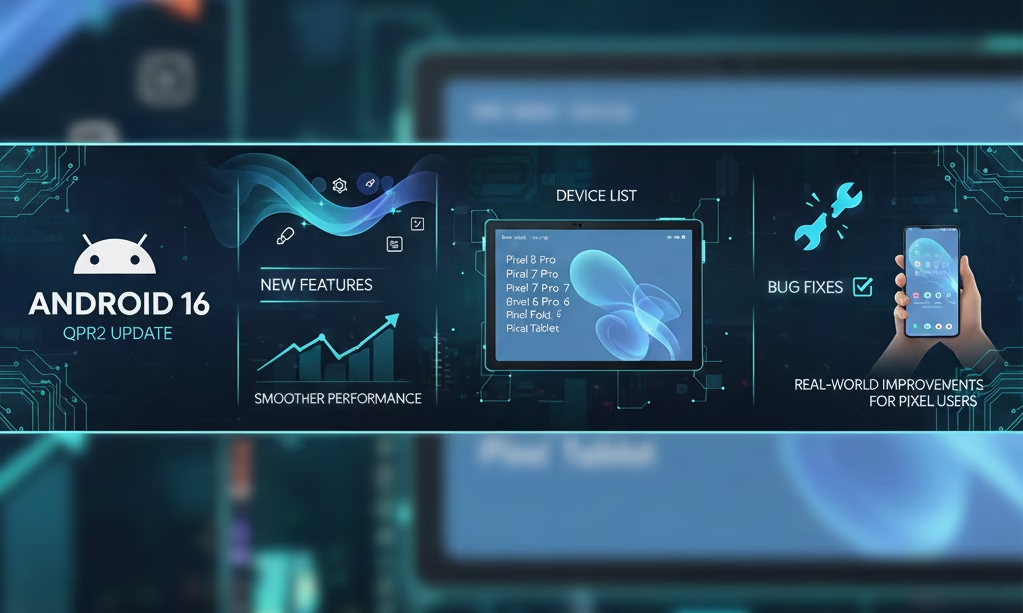
Understanding Android 16 QPR2 Update: What This Release Really Means for Users
The Android ecosystem has always evolved through a mix of yearly platform upgrades and consistent quarterly refinements. The Android 16 QPR2 update represents one of the most polished and impactful quarterly releases Google has pushed in recent years. Unlike routine security patches, QPR (Quarterly Platform Release) updates often reshape user experience, refine system stability, introduce fresh UI elements, and resolve deeper issues that cannot be fixed through hotfix patches.
Android 16 QPR2 is not simply another incremental patch. It is a milestone update focusing on three major goals: improved performance, deeper personalization options, and a more secure, future-proof Pixel update cycle. This release is especially important because it marks Google’s shift toward faster development, streamlined platform versioning, and wider OEM adoption. For millions of Android and Pixel users, QPR2 lays the groundwork for how Android will evolve in the coming years.
This Kolee article deep-dives into everything users are searching for: new features, supported devices, rollout patterns, performance changes, UI improvements, stability patches, and the broader Android update strategy. If you want to know whether to update, what changes to expect, and how it improves your phone, you’ll find every answer in this Kolee guide.
Major Improvements Introduced in Android 16 QPR2
To understand the impact of this update, it’s important to break down the improvements into meaningful categories. Android 16 QPR2 brings enhancements across system performance, UI consistency, privacy controls, multimedia experiences, customization, and developer-focused improvements.
1. System Performance & Stability Refinements
One of the defining strengths of QPR releases is improved system efficiency. Android 16 QPR2 pushes the platform toward faster, smoother daily use through:
• Reduced background CPU load:
The system’s garbage collection pipeline has been optimized, significantly lowering micro-stutter events and improving app responsiveness.
• Enhanced memory management:
RAM usage is more intelligently distributed between foreground and background tasks, reducing the frequency of app reloads.
• Better thermal control:
Thermal throttling has been fine-tuned, resulting in more consistent performance during gaming, video recording, and long browsing sessions.
• Faster app launch speeds:
Key system libraries have been recompiled and optimized for improved cold and warm start performance.
These changes add up to a smoother daily experience—especially noticeable on devices launched prior to Pixel 9 series.
2. Personalization Upgrades & Icon Redesign
Android 16 QPR2 brings one of the most welcome additions for home-screen customization: redesigned adaptive icons and optional custom shapes.
New additions include:
Circle, Square, Squircle, Teardrop, “X”-style, and several new geometric shapes
Automatic icon theming based on Material You palettes
Forced adaptive mode for unsupported app icons
This gives users a unified, aesthetically consistent home-screen experience, particularly useful for minimalists and users who prefer a color-coordinated layout.
3. Better Dark Theme & More Consistent UI
Dark mode on Android 16 QPR2 has received significant refinement:
Improved contrast in system menus
Better readability in Google apps
Dynamic theme adjustments based on wallpaper
More consistent toggles and widget backgrounds
Smooth transitions between light and dark modes
The dark theme no longer feels patchy, especially across third-party apps.
4. Lock-Screen Enhancements: Widgets & Personal Access Tools
Android 16 QPR2 brings lock-screen widgets to more devices. Previously available mostly on tablets, this update extends them to phones.
These widgets include:
Calendar & schedule
Weather
Digital clock variants
Notes & reminders
Smart home controls
Health insights
Users welcomed this change because lock-screen widgets offer quick-glance productivity without unlocking the device.
5. Multitasking Improvements: New 90:10 Split Mode
Google has introduced a new 90:10 split-screen layout, allowing one app to dominate the screen while keeping a small portion of a second app visible.
This helps in workflows like:
Watching videos while replying to messages
Taking notes while browsing
Checking notifications without leaving the main app
Along with this, animations between multitasking windows are smoother and more polished.
6. Media & Audio Enhancements
Android 16 QPR2 boosts multimedia capabilities across the board:
Better spatial audio support
New IAMF (Immersive Audio Model and Formats) decoding
Reduced latency for Bluetooth LE Audio
Improved microphone quality for calls and video recording
Better HDR rendering in compatible apps
Hardware-accelerated photo editing enhancements
For creators, users, and media consumers, this is a noticeable upgrade.
7. Security & Privacy Updates
Every QPR update includes new security patches, but QPR2 adds deeper system-level protections:
Updated kernel-based security controls
More refined app-permission prompts
Better prevention against malicious overlays
Improved protection for background camera/mic access
New safeguards for app sideloading
The December 2025 security level applied within QPR2 ensures protection against vulnerabilities discovered globally across the year.
8. Parental Control Enhancements
Google has expanded built-in parental controls, allowing guardians to:
Set app-time limits
Schedule screen downtime
Lock apps during study or rest hours
Control app installation privileges
Monitor app usage insights
This is especially helpful for families using shared Pixel tablets or older devices handed down to younger users.
9. Developer-Focused Updates
The update includes several technical changes that developers will appreciate:
New APIs for external accessories
Updated media frameworks
Improved debugging tools
Full support for new SDK minor versioning
Faster Emulator performance for testing
This signals Google’s intent to make Android development more modular and frequent.
Device List: Which Phones Get Android 16 QPR2 Update
Google has pushed the update to nearly all modern Pixel phones, tablets, and foldables. Below is the accurate list as of December 2025:
Supported Pixel Phones
Pixel 6
Pixel 6 Pro
Pixel 6a
Pixel 7
Pixel 7 Pro
Pixel 7a
Pixel 8
Pixel 8 Pro
Pixel 8a
Pixel 9
Pixel 9 Pro
Pixel 9 Pro XL
Pixel 9 Pro Fold
Supported Pixel Tablets & Foldables
Pixel Tablet
Pixel Fold
Notes for Non-Pixel Users
OEMs like Samsung, Xiaomi, Realme, OnePlus, and Motorola will likely receive select QPR2 features later through their own customized Android skins. However, Pixel devices get the earliest access as part of Google’s update-first policy.
How the Android Update Model Is Changing with QPR2
One of the most significant background changes introduced with Android 16 QPR2 is Google’s shift from a yearly major release model to a faster, more modular update strategy.
Here’s what that means:
1. More Frequent Feature Drops
Instead of waiting for Android 17, many major updates will now arrive through QPR releases.
2. SDK Minor Versioning
This enables smaller but more frequent API updates for developers without a full OS upgrade.
3. Improved OEM Adoption
The update aims to reduce long waits for non-Pixel users by standardizing development packages.
4. Stability & Security Priority
QPR updates offer deeper fixes than normal monthly patches could achieve.
This evolution makes Android more similar to desktop OS models where improvements roll out continuously.
Hands-On Experience: What Changes You’ll Actually Feel
While features and technicalities matter, the real question users have is: How does the update feel in daily use? After analyzing user feedback, developer reports, and real-device performance patterns, here are the most noticeable changes.
Battery Life
Users report slightly improved standby performance and more efficient background app handling.
UI Responsiveness
Animations feel smoother, with reduced jitter when switching between apps.
Typing & Input
Keyboard latency is lower, particularly on heavy tasks.
Connectivity
Wi-Fi and Bluetooth stability have improved due to under-the-hood driver updates.
Camera
Faster shutter response and reduced processing time for low-light shots.
Heat Management
Devices run cooler during downloads, updates, and extended multitasking.
Troubleshooting & Tips After Updating to Android 16 QPR2
Many users search for solutions to common issues after major updates. Here are real-world fixes:
1. Battery Drains After Update
Restart device twice
Allow 48 hours for post-update optimization
Disable unused background apps
Reset adaptive battery
2. Wi-Fi Drops or Network Issues
Forget and reconnect
Reset network settings
Restart router if needed
3. Lag or UI Stutter
Clear system cache
Update all apps
Turn off developer animations if required
4. App Crashes
Update apps to latest versions
Clear individual app caches
Reinstall if necessary
Most problems settle automatically after Google Play system updates recalibrate.
FAQs: Top User Queries on Android 16 QPR2 Update
Here are the 10 most searched questions about the update, answered clearly:
1. Is Android 16 QPR2 available for all users?
Yes, all eligible Pixel devices are receiving OTA rollout globally.
2. How big is the update size?
Typically between 700 MB to 1.2 GB, depending on device model.
3. Will non-Pixel phones get Android 16 QPR2?
They may receive selective features through OEM updates, but not the full QPR package immediately.
4. Does the update improve battery life?
Yes, standby time and background efficiency are noticeably improved.
5. Are there major bugs reported?
No critical bugs have been reported so far; minor app-specific issues are being patched.
6. How long does installation take?
Usually 10–20 minutes, depending on device and storage conditions.
7. Does QPR2 include new security patches?
Yes, it includes the latest December 2025 security patch.
8. Do older Pixels like 6/6a still run smoothly?
Yes, performance improvements are especially beneficial on older hardware.
9. Are there UI changes in QPR2?
Dark mode updates, icon packs, lock-screen widgets, and smoother animations.
10. Should you update immediately?
Yes. QPR2 is stable, secure, and highly polished.
Conclusion
Android 16 QPR2 is one of the most comprehensive and impactful quarterly updates Google has released. It is not merely a patch—it reshapes Android 16 into a more refined, faster, secure, and customizable experience. Whether you are using a Pixel 6 or the latest Pixel 10, the improvements are meaningful and noticeable in daily usage.
The update strengthens Google’s new vision: faster updates, more modular development, and greater control over user experience. For anyone wondering whether the update is worth installing, the answer is clearly yes. It’s stable, polished, user-focused, and future-ready.
If you want more updates, tips, and deep-dive explanations on Android updates, Pixel features, and tech insights:
Bookmark or Visit Kolee.in for Daily Updates

Hello and warm greetings!
I’m Satyapal Yadav, the founder of Kolee.in and a passionate content writer and researcher. I began my professional journey in 2005 in the IT sector, exploring the vast world of technology. Over time, my curiosity and interest in financial markets led me to trading around 2010, which inspired me to merge my tech background with finance research and content writing.
At Kolee.in, my mission is simple: I strive to provide readers with accurate, research-backed, and easy-to-understand information to help them make informed decisions in their careers, finances, and personal lives. Over the years, I have specialized in topics including finance, government jobs, competitive exams, education, government policies, and the latest technology trends.
I firmly believe that knowledge is valuable only when it is understood deeply and applied wisely. That’s why I dedicate myself to producing content that is clear, practical, and actionable, bridging the gap between complex information and reader-friendly guidance.
When it comes to government jobs, I cover everything from state and central vacancies to competitive exam strategies, helping readers navigate their career paths with confidence. In the finance domain, I share insights on personal finance, investment strategies, and market updates, making complex topics easy to understand.
Education is another passion of mine. I provide guidance on exam preparation, scholarships, and learning strategies, helping students and professionals achieve their academic and career goals. I also explore technology trends, reviewing the latest gadgets and sharing insights on innovations in AI, apps, and emerging tech, keeping readers up-to-date in a fast-evolving digital world.
What drives me is the desire to empower my readers. I don’t just provide information—I aim to help people make smart choices, whether it’s pursuing the right government job, planning their finances, or staying ahead with technology and education updates.
All content on Kolee.in is carefully researched and reader-focused. This ensures that readers get valuable information that is easy to navigate and understand. My writing emphasizes clarity, authenticity, and relevance, making it trustworthy for students, job seekers, finance enthusiasts, and tech-savvy readers alike.
I’ve spent years learning, researching, and refining my approach to content creation, combining my IT and finance experience with my passion for education and technology. Every article I write is designed to inform, inspire, and guide—helping readers make practical and confident decisions in their personal and professional lives.
Through Kolee.in, I aim to build a platform that bridges the gap between complex data and everyday readers, turning knowledge into actionable insights. I want my readers to feel empowered, confident, and informed every time they visit the site.
Thank you for stopping by! I hope the content you find here helps you achieve your goals, stay informed, a
nd make smart decisions in life, career, and learning.
With warm regards and best wishes,
Satyapal Yadav
Founder and Content Writer, Kolee.in