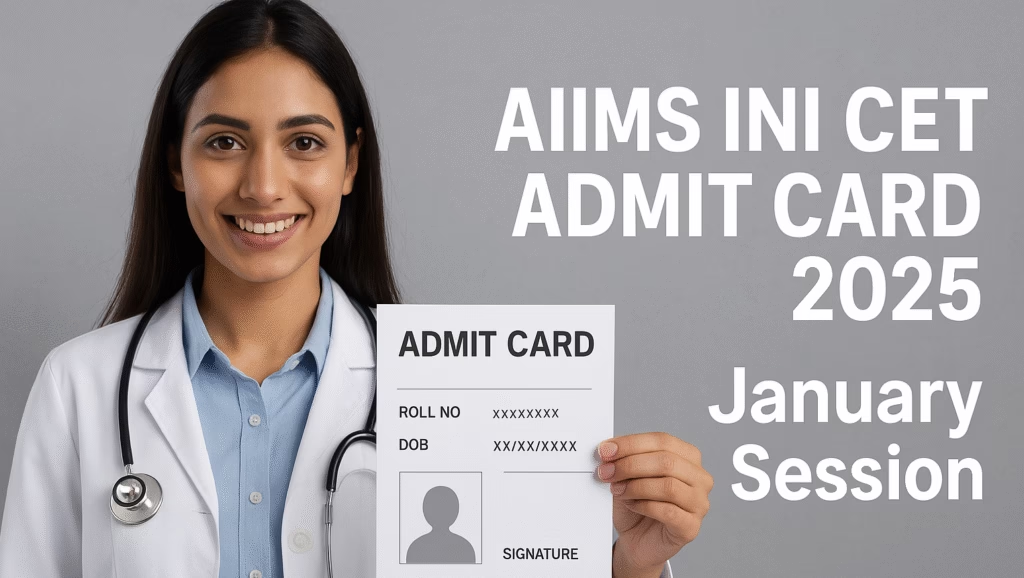
You’ve registered, prepared, and revised endlessly — now it’s time for the most crucial step before your exam: downloading your AIIMS INI CET Admit Card 2025 for the January 2026 session.
Every year, thousands of candidates face last-minute confusion — lost passwords, login errors, or incomplete admit cards. This detailed, step-by-step article ensures you don’t make those mistakes.
We’ll walk you through everything — from how to download your admit card to exam day checklists, credential recovery, and troubleshooting — in clear, concise, mobile-friendly language.
This guide is fully updated as of 01 November 2025, verified for the AIIMS INI CET January 2026 session.
Quick Overview — INI CET January 2026
Admit Card Release Date: 1 November 2025
Exam Date: 9 November 2025
Official Website: aiimsexams.ac.in
Login Details Required: Registration ID, EUC (Examination Unique Code), Password
Mode of Exam: Computer-Based Test (CBT)
Admit Card Availability: Until exam day (download early)
How to Download AIIMS INI CET Admit Card 2025 — Step-by-Step Guide
Step 1: Prepare Your Credentials
Before you start, ensure you have:
Registration ID (generated during application)
EUC (Examination Unique Code)
Password (as created at registration)
Access to your registered email and mobile number
Step 2: Visit the Official AIIMS Exam Portal
Go to aiimsexams.ac.in
Click on Academic Courses from the homepage menu
Select INI-CET (MD/MS/MCh/DM – January 2026)
Direct Link : Download Admit Card Here
Step 3: Login to the Candidate Portal
Click Applicant Login
Enter your Registration ID, EUC Code, Password, and Captcha
Click Login to access your dashboard
Step 4: Download the Admit Card
Once logged in, you’ll see the “Admit Card” link
Click it, verify your details, then click Download
Save the PDF file to your computer or phone
Step 5: Print the Admit Card
Print at least 2-3 copies of the admit card
Keep one spare copy for backup
Store a digital copy safely in your cloud drive or email
What to Do If You Can’t Log In
Forgot Password or Registration ID
On the login page, click “Forgot Login Details”
Enter your Date of Birth, Registered Email ID, or Mobile Number
Follow the instructions to reset your password or retrieve your ID
Lost EUC Code
Your EUC is generated at registration completion
Check your confirmation email or login to your candidate dashboard
If still missing, contact AIIMS helpdesk using your registration proof
When to Contact AIIMS
If you cannot recover your credentials or see incorrect details (name, DOB, photo), immediately contact the AIIMS Exam Helpdesk via the official email or helpline mentioned on the site.
Details Mentioned on the AIIMS INI CET Admit Card 2025
Check the following information carefully after downloading your hall ticket:
Candidate’s full name (exactly as registered)
Roll number and registration ID
Date of birth
Category (General, SC, ST, OBC, EWS)
Photograph and signature
Exam date and time slot
Exam centre name and address
Important instructions and reporting time
If you find any discrepancy, contact AIIMS immediately for correction.
INI CET Admit Card 2025 — Important Dates (January Session)
| Event | Date |
|---|---|
| Admit Card Release | 1 November 2025 |
| Exam Date | 9 November 2025 |
| Result Declaration | To be announced later |
| Counselling Schedule | After result announcement |
Exam Day Instructions — What to Carry and What Not
Things You Must Carry
Printed INI CET Admit Card 2025
Original Photo ID Proof (Aadhaar, Passport, Driving License, PAN Card)
Two passport-size photographs (same as on admit card)
Transparent document pouch
Items Not Allowed
Mobile phones, smartwatches, calculators
Papers, notes, books
Food items (except medically necessary)
Electronic gadgets or storage devices
Dress Code Tips
Avoid full-sleeve shirts, shoes with thick soles, or metal accessories
Simple clothing preferred to ensure quick frisking
Reporting Time
Reach the centre at least 60–90 minutes early
Late entry after gate closure is not permitted
Step-by-Step Table — Quick Download Summary
| Step | Action | Required Items |
|---|---|---|
| 1 | Open aiimsexams.ac.in | Browser + Internet |
| 2 | Click Academic Courses > INI-CET | None |
| 3 | Click Applicant Login | Registration ID, EUC, Password |
| 4 | Login and view admit card | Captcha |
| 5 | Download admit card PDF | Printer |
| 6 | Verify and print copies | Photo ID, Photos |
How to Retrieve Lost Credentials
If You Forget Registration ID
Use “Forgot Registration ID” on login page
Enter registered email or phone number
Your ID will be sent to your email
If You Forget Password
Click “Forgot Password”
Enter registration ID, email, or phone number
Follow password reset instructions
If You Lose EUC Code
Log in to your dashboard → Check your application summary
The EUC is displayed there
You can also recover it by contacting AIIMS with your registration proof
What to Check Immediately After Download
Before printing, ensure the following:
Name, date of birth, photo, and signature are visible and correct
Exam centre address is readable
Barcode/QR code (if printed) is not blurred
Print on clean white A4 paper
INI CET Exam Centre Guidelines
The centre name and address are mentioned on the admit card
Candidates are advised to visit the centre location one day prior
Carry only required documents
Follow instructions given by invigilators
What to Do If There’s an Error on the AIIMS INI CET Admit Card
If your admit card shows errors like incorrect name, photo, or exam centre:
Take a screenshot or print the erroneous admit card.
Prepare proof documents (application form, ID proof, registration email).
Contact the AIIMS helpdesk immediately with all details.
Common Problems & Quick Fixes
| Problem | Solution |
|---|---|
| Invalid login credentials | Recheck Registration ID and Password; use “Forgot Login Details.” |
| Server error or timeout | Try again after 10 minutes or use another browser. |
| Missing photo/signature | Contact AIIMS helpdesk with registration proof. |
| Wrong details | Email AIIMS exam cell for correction. |
| Admit card not generating | Ensure application and EUC were submitted correctly. |
After Download — What to Do Next
Verify details immediately
Print multiple copies
Save a soft copy in cloud storage
Read instructions carefully
Plan your travel and reach early
Exam Pattern Overview for INI CET January 2026
| Section | Number of Questions | Marks | Duration |
|---|---|---|---|
| Multiple-choice questions | 200 | 200 | 3 hours |
| Correct Answer | +1 mark | ||
| Incorrect Answer | -1/3 mark |
The exam will be conducted in Computer-Based Test (CBT) mode in various cities across India.
AIIMS INI CET Hall Ticket Authenticity Check
The official admit card is issued only through the AIIMS portal.
It includes the AIIMS logo, candidate details, and exam centre address.
Admit cards from unofficial websites or emails are invalid.
Candidates must carry an original ID that matches their admit card name.
24-Hour Pre-Exam Checklist
AIIMS INI CET Admit Card printed (2–3 copies)
Original photo ID proof
Passport-size photos
Water bottle (if allowed)
Transparent folder
Directions to exam centre verified
Emergency contact numbers saved
People-Also-Ask Style FAQs
Q1. When was the AIIMS INI CET Admit Card 2025 released?
A: The admit card for the January 2026 session was released on 1 November 2025.
Q2. How can I download the AIIMS INI CET Admit Card?
A: Visit aiimsexams.ac.in, go to INI-CET section, log in with your Registration ID, EUC, and Password, then download your admit card.
Q3. What credentials are needed to download the admit card?
A: Registration ID, EUC Code, Password, and Captcha.
Q4. Can I change my exam centre after the admit card is issued?
A: No. Once the admit card is generated, exam centres cannot be changed.
Q5. Is the AIIMS INI CET Admit Card sent by post?
A: No, it is available only online. Candidates must download and print it themselves.
Q6. What if I find an error on my admit card?
A: Contact AIIMS exam authorities immediately with your registration proof.
Q7. Do I need a color printout of the admit card?
A: A black-and-white printout is sufficient if all details are clearly visible.
Q8. What if I forget my AIIMS INI CET Admit Card on exam day?
A: Entry without an admit card is not allowed. Keep an extra copy for safety.
Q9. How do I recover my EUC code?
A: Log in to your candidate portal or check your registration confirmation email.
Q10. Is there any dress code for INI CET 2025?
A: Yes, wear simple clothes and avoid metallic items or accessories.
Pro Tips for Candidates
Avoid downloading the admit card on mobile browsers prone to crashes.
Use laptops or desktops for accurate PDF rendering.
Always verify your photograph and signature placement.
Carry your AIIMS INI CET Admit Card and ID proof in a transparent folder.
Read exam instructions twice to avoid violations.
Conclusion
Your AIIMS INI CET Admit Card 2025 (January Session) is your official permission to appear for the exam.
It confirms your registration, identity, and eligibility — so download it early, verify all details, and print multiple copies.
If any issue arises — such as login problems, missing details, or errors — contact the AIIMS exam helpdesk immediately.
Stay organized, stay calm, and focus on your preparation.
The hard work you’ve put in will shine on exam day.
Bookmark or Visit Kolee for Daily Updates

Hello and warm greetings!
I’m Satyapal Yadav, the founder of Kolee.in and a passionate content writer and researcher. I began my professional journey in 2005 in the IT sector, exploring the vast world of technology. Over time, my curiosity and interest in financial markets led me to trading around 2010, which inspired me to merge my tech background with finance research and content writing.
At Kolee.in, my mission is simple: I strive to provide readers with accurate, research-backed, and easy-to-understand information to help them make informed decisions in their careers, finances, and personal lives. Over the years, I have specialized in topics including finance, government jobs, competitive exams, education, government policies, and the latest technology trends.
I firmly believe that knowledge is valuable only when it is understood deeply and applied wisely. That’s why I dedicate myself to producing content that is clear, practical, and actionable, bridging the gap between complex information and reader-friendly guidance.
When it comes to government jobs, I cover everything from state and central vacancies to competitive exam strategies, helping readers navigate their career paths with confidence. In the finance domain, I share insights on personal finance, investment strategies, and market updates, making complex topics easy to understand.
Education is another passion of mine. I provide guidance on exam preparation, scholarships, and learning strategies, helping students and professionals achieve their academic and career goals. I also explore technology trends, reviewing the latest gadgets and sharing insights on innovations in AI, apps, and emerging tech, keeping readers up-to-date in a fast-evolving digital world.
What drives me is the desire to empower my readers. I don’t just provide information—I aim to help people make smart choices, whether it’s pursuing the right government job, planning their finances, or staying ahead with technology and education updates.
All content on Kolee.in is carefully researched and reader-focused. This ensures that readers get valuable information that is easy to navigate and understand. My writing emphasizes clarity, authenticity, and relevance, making it trustworthy for students, job seekers, finance enthusiasts, and tech-savvy readers alike.
I’ve spent years learning, researching, and refining my approach to content creation, combining my IT and finance experience with my passion for education and technology. Every article I write is designed to inform, inspire, and guide—helping readers make practical and confident decisions in their personal and professional lives.
Through Kolee.in, I aim to build a platform that bridges the gap between complex data and everyday readers, turning knowledge into actionable insights. I want my readers to feel empowered, confident, and informed every time they visit the site.
Thank you for stopping by! I hope the content you find here helps you achieve your goals, stay informed, a
nd make smart decisions in life, career, and learning.
With warm regards and best wishes,
Satyapal Yadav
Founder and Content Writer, Kolee.in